Getting Started
How to install the app and prepare your photos.
1
Install the app
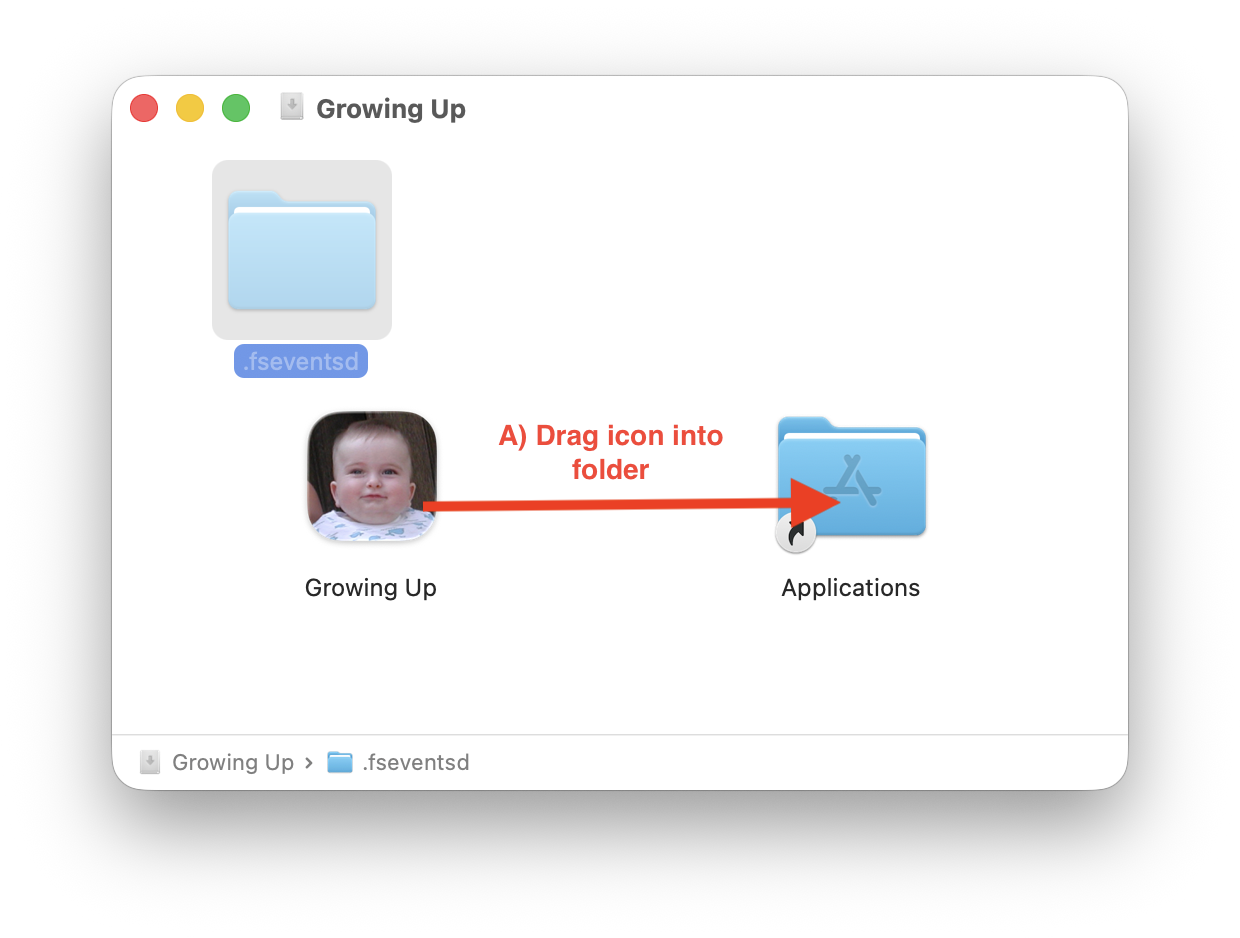
Open the downloaded file (Growing-Up.dmg on Mac), then drag the app icon into the Applications folder. Open the Applications folder and launch Growing Up. It will take a few minutes to set up the first time. The app will then open in your browser.
2
Find your person in Apple Photos
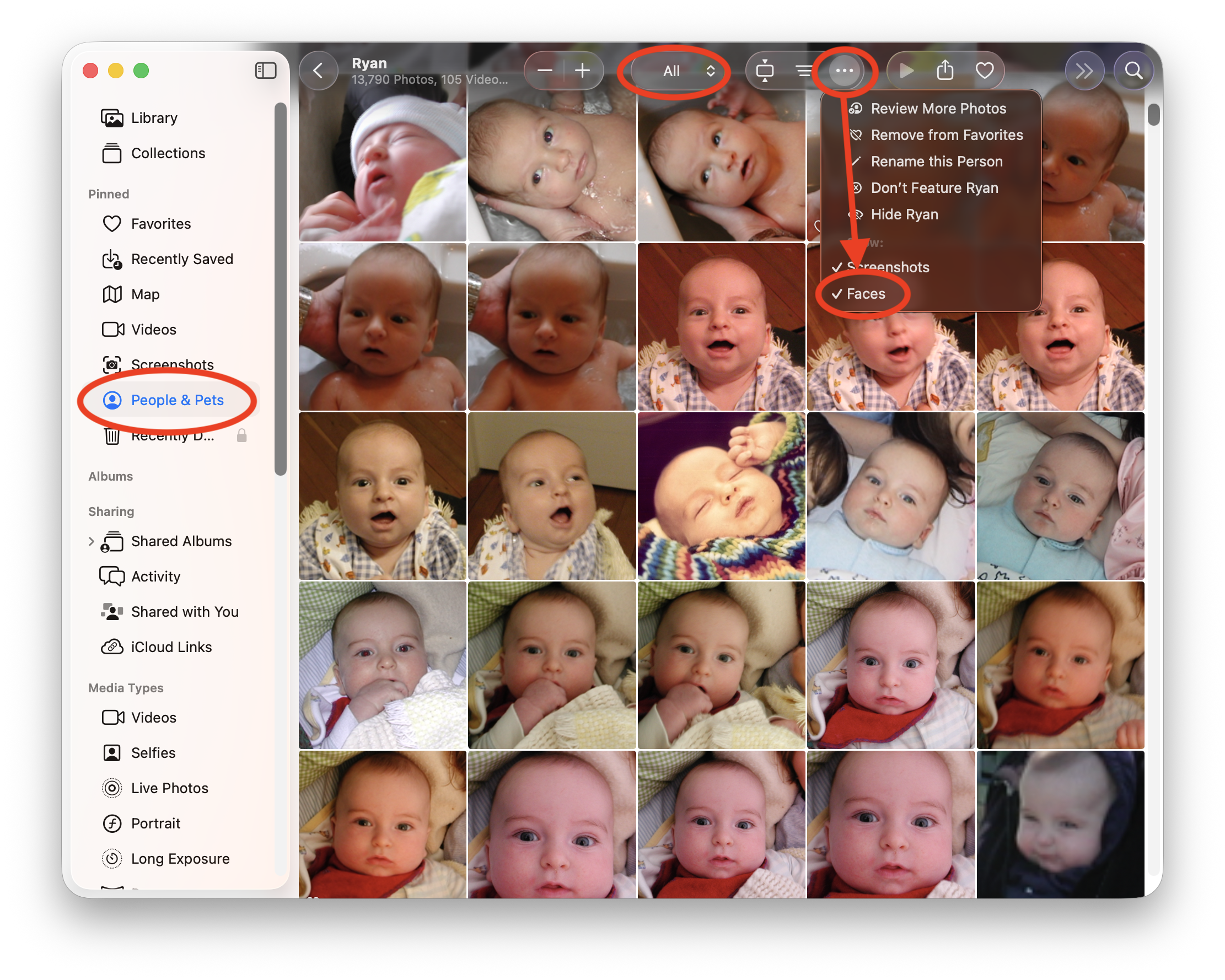
Open Apple Photos and go to People & Pets in the sidebar. Click on the person you want to make a video for. Make sure Faces is checked in the view options so you see close-up face thumbnails — this makes it easy to pick the best shots.
3
Select and export photos
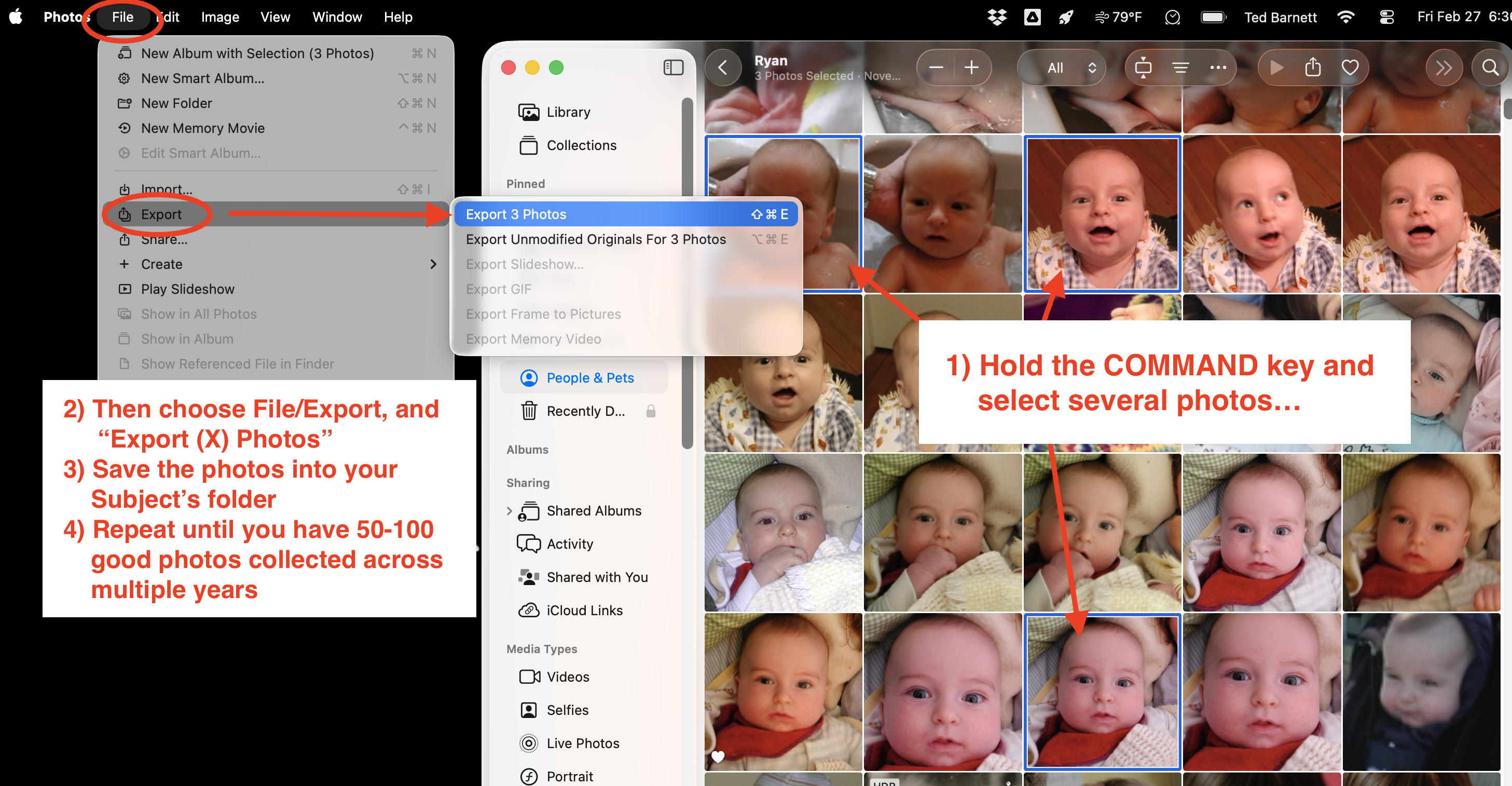
Hold Command and click to select several good photos, then go to File → Export → Export Photos. Save them into an empty folder on your computer (e.g. named "Ryan"). Repeat until you have 50–100+ photos spanning as many years as possible.
Tips for great results
- More photos = smoother video. Aim for 50–200+ photos across many years.
- Pick photos where the face is clearly visible and facing the camera.
- Include a mix of ages — baby, toddler, kid, teen, adult.
- Don't worry about duplicates or bad photos — the app lets you review and remove them.
- Photos with dates in the filename or EXIF data will be sorted automatically.
- To add a soundtrack, upload one or more favorite MP3 files.